Published on 30 October 2026
What can AI do for a company's finances?
Three things, done well: reading a mass of figures a company director has no time to go through, comparing them from one financial year to the next and to the same date in the previous year, and explaining in plain language what a variance means and what question it raises. It is the work a management controller would do the day before a board meeting, and that most small and medium-sized companies have nobody to do.
Three things it must not do on its own: decide, commit the company, and invent a figure. A language model writes well, and that is its weakness: it writes an exact amount and an amount it thought it saw with the same confidence. The whole question, in finance, is to stop it writing what it was never given.
What it does well, and where it stops
The overall reading: solid or fragile, growing or flattening, and why. The trends: turnover, margins, cash, payment terms, payroll costs, from one financial year to the next, and for a year in progress against a comparable date rather than against a full year. The gap explained: a margin slipping while turnover rises, stock building up, a client paying later. And the questions to ask, because a good management commentary ends with questions.
What it leaves to the business owner and their expert-comptable (chartered accountant): the decision to invest or to hire, tax trade-offs, the legal reading of a situation, and the responsibility. A financial health score is a benchmark calibrated elsewhere, never a verdict; a year-end projection is a hypothesis, never a forecast.
How our financial analyst works
In IntraIA, the financial analyst is an AI agent that writes the analysis of the financial year from the figures in reporting. It only receives those figures, calculated by the module without any artificial intelligence, plus the findings drawn by rules written in advance: it is an allow-list, the only amounts it has the right to quote. It writes a management commentary with fixed fields: the overall reading, the key points, the risks, the actions, the questions to ask, the assumptions, the limits.
Then an automated proofread compares every amount in its text against the figures from the engine. An exact amount is verified, a rounded one is tolerated, an amount absent from the data is removed from the text and counted; too many amounts removed, and the analysis is rejected rather than shown. The signature, always automatic, states what the proofread verified. On a financial year in progress, the analyst receives no change against the full year: it describes levels, and changes at comparable dates.
An example, on one file
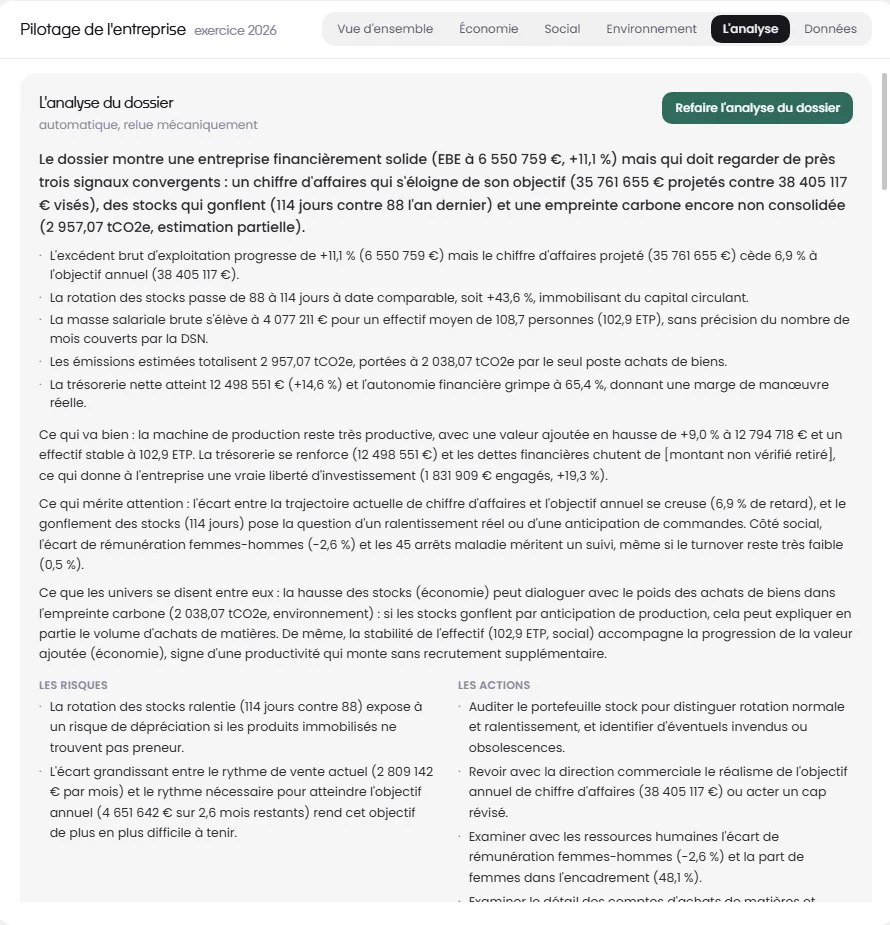
On this data set, the analyst notes a rise in gross operating surplus (excédent brut d'exploitation, close to EBITDA), projected revenue drifting away from the target set by management, and stock moving from 88 to 114 days at the comparable date. It draws three questions from that: is stock turnover slowing because orders are expected or because activity is really slowing, is the annual target still realistic, and what do raw material purchases say about the carbon footprint. Every figure in its text exists in the dashboard, and one click takes you there.
What this company director does next is not up to the AI: auditing the stock holdings, going over the target with the sales management, or changing nothing at all. The analysis gave the list, the running order, and the checked figures.
Where the figures come from
The simplest: upload the accounting entries file for each financial year (the FEC, which every accounting package can produce) and the monthly social declarations (DSN). The most comfortable: connect the accounting software and payroll in the instance's resources, with credentials checked before they're saved; the general ledger then comes up on its own, at the frequency you set, and the payroll months with it. ACD and Silae are connected today, live with our clients, on real client files.
With the accounting software connected, the energy and fuel invoices attached to the entries are read: the carbon footprint then speaks in kilowatt-hours and litres rather than in euros, and the environment manager writes up the reading, just as the HR manager writes up the payroll one. Steering is included in the subscription, like every module; it is reserved for those with the right to steer the company, that is, the management.
The questions we get asked
- Can AI analyse a balance sheet?
- It can read the figures of a financial year, compare them with previous ones, calculate the ratios a banker looks at and write a reading of them. With us, the calculations are done by the reporting module, without AI, and the analyst writes only from those calculations. What it does not do: judge whether the accounts are true and fair, or replace your chartered accountant's review.
- Can AI get a figure wrong?
- A language model can write an amount it never received, with the same confidence as an accurate one. That is why our analyst only ever receives a whitelist of amounts, and why a review step strips from its text any amount missing from the figures, counts them, and rejects the analysis when there are too many. A figure that stays in the text exists in the reporting.
- Do you need to connect the accounting software for it to work?
- No: uploading the entries file (FEC) for each financial year is enough, and that's how most files start. Connecting the software saves doing it again at every year-end, and it allows energy bills to be read. ACD and Silae connect today; other software will follow, and the dashboard page will say which.
- Who sees the financial analysis?
- The people entitled to steer the company, meaning management, set in the admin area. Payroll figures name individuals and never leave the instance. None of it is visible to other team members or to clients.
- Does it replace the chartered accountant?
- No, and the product page says so on every screen. The chartered accountant keeps the accounts, reviews them and advises; the AI reads what those accounts say, every month rather than once a year, and prepares the questions to put to the accountant. A firm that gives its clients a tool like this turns up to meetings with the questions already asked.
To see it
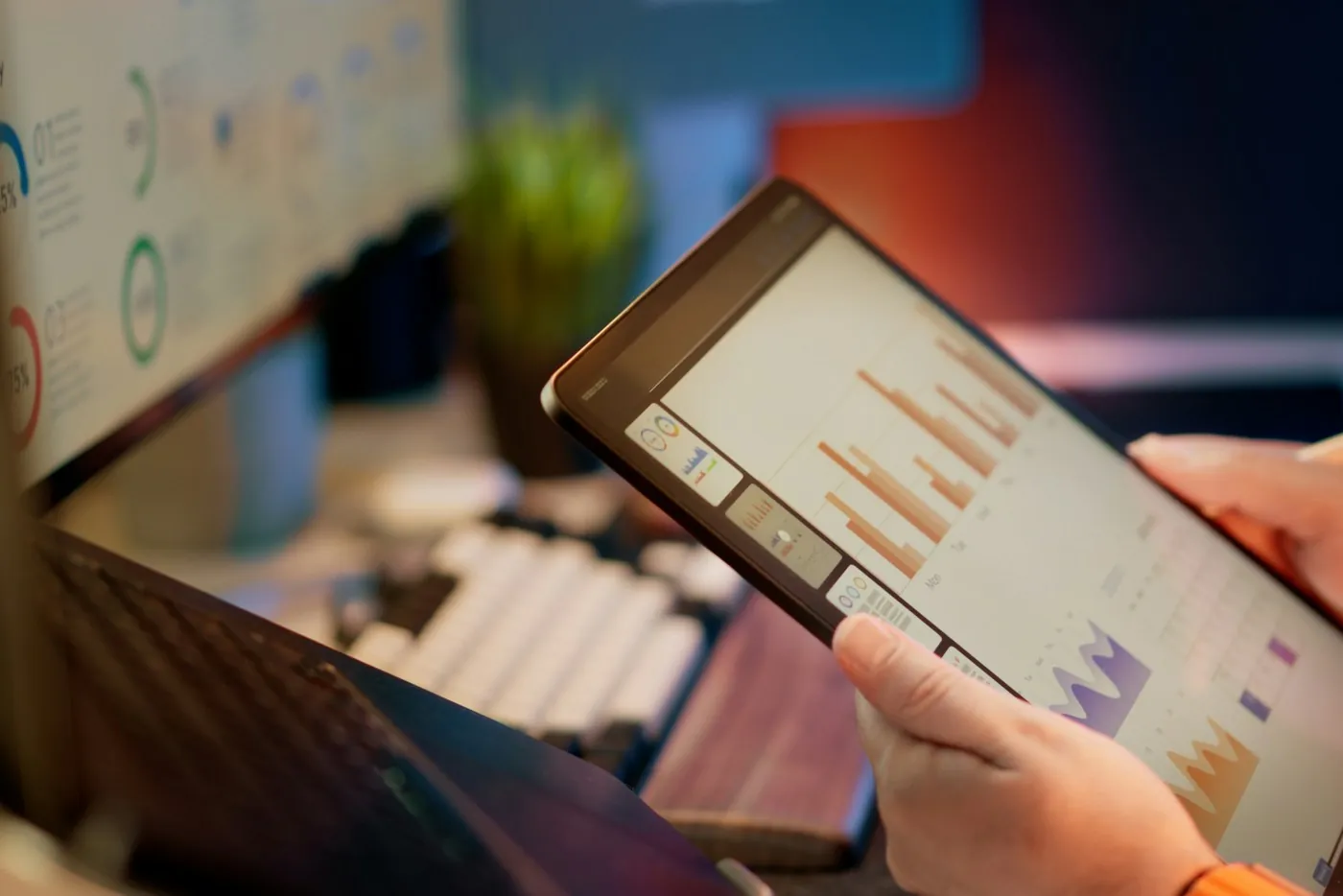
The manufacturing company demo is open without signing up, and so is its management reporting: go in via the Management view, open Pilotage, the six demo financial years are there, with their findings, and the Analysis tab runs at the click of a button. The screenshot above comes from that data set. Try the demo, or book a call to see it on your own files.